
Photos
Back up every phone in the house and keep the family album in one place.
Coming soonJenerOS
A free, open-source home server OS for a PC you already own. Built around a simple idea: your stuff should feel at home.
v0.4.2 · x86-64 preview available. Glass is a separate interface study.
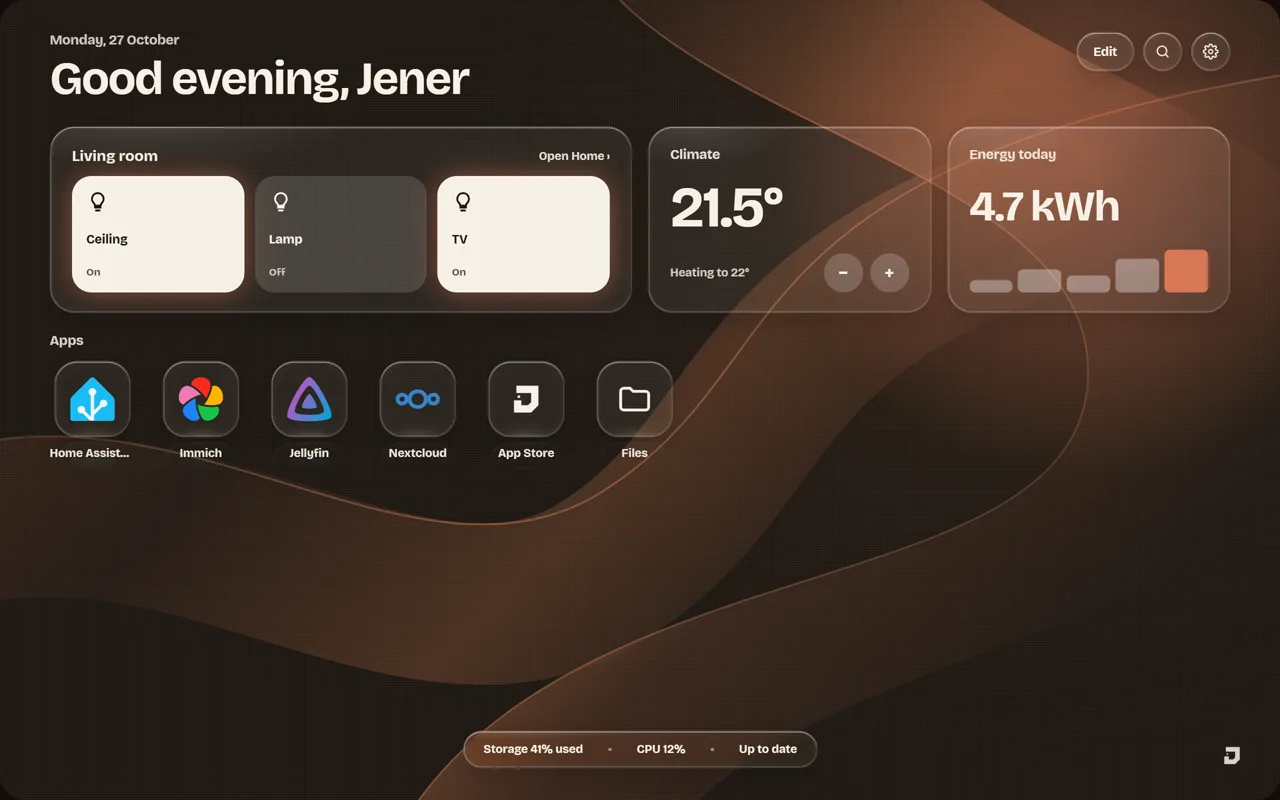
A calmer view of your home server. Glass explores familiar windows, warm materials and useful information at a glance. It is a design preview; app-runtime integration is still in development.
Planned apps for the things you want to keep close. These services are not ready to use in the preview.
Back up every phone in the house and keep the family album in one place.
Coming soonYour documents and folders, reachable from any phone or computer at home.
Coming soonStream your own movies and shows to the TV, tablet or phone.
Coming soonLights, plugs and sensors run from your box, not from a far-away server.
Coming soonFewer ads and trackers on every device on your Wi-Fi, with nothing to install on them.
Coming soonSee your whole box at a glance. Add apps from its own store when you want them.
Dashboard works todayJenerOS is an early preview. The dashboard, safe updates and phone setup work today. The apps are on the way, and we will say so here when each one is ready.
That computer in the closet still has years of work left in it. It does not need to be fast. It just needs to stay on.
JenerOS turns it into something the whole family uses every day, instead of something that ends up in a landfill.
No keyboard tricks, no command line. You finish setup on your phone.
Download JenerOS and write it to the PC's drive with a free tool like balenaEtcher.
Put the drive in the PC, turn Secure Boot off and switch it on. JenerOS starts by itself.
The screen shows a QR code. Scan it with your phone, enter the 6-digit code and finish setup there.
Setup stays on your home network. Nothing goes through our servers. See the full guide.
Your box keeps two copies of the system. Updates always go into the spare one, so the working copy stays untouched.
One button on the dashboard. The new version downloads into the spare copy.
The box restarts into the new version and checks that it started properly.
All good? It stays. If it fails to start, the box goes back to the old version by itself.
Changed your mind? There is also a button to go back to the previous version.
The new JenerOS Glass dashboard. Widgets show sample data in this early preview. Take the full tour.


Yes. JenerOS is free to download and use, with no subscription and no account with us. It is open source under the GNU GPL 3.0, so anyone can read and check the code.
A 64-bit (x86-64) PC with UEFI, which covers most PCs from 2012 on. Plan for 4 GB of memory and a spare drive of 32 GB or more. Installing erases that drive. You turn Secure Boot off in the PC's settings. You can also try it in a virtual machine first.
Your photos, files and settings stay on your box. We don't run accounts, collect analytics or see what you store. The box only reaches out to check for updates, set its clock, and download apps you choose to install.
Yes. Each update goes into a spare copy of the system. If the new version fails to start, your box goes back to the old one by itself. You can also go back to the previous version with one button.
Not yet. JenerOS is an early preview. It boots, updates itself and rolls back bad updates, but the apps are still coming. Please don't trust it with your only copy of anything yet.
The v0.4.2 x86-64 preview is available. Read the release notes and hardware requirements before trying it. The Glass interface shown here is a separate design preview.